
It takes forever
Open a group, paste the text, attach photos, click, wait — and do it 30 times. That’s more than an hour for every post.
Chrome extension · Russian-language interface
Advance Poster publishes your ad to the groups where your customers are: with pauses between groups, account protection and a link to every post. Made for businesses in the US.
Free: up to 7 posts a day. No Facebook password needed.
Why groups
Russian-speaking groups in your city, neighborhood groups, niche groups, marketplaces — that’s where people ask “who knows a good mechanic?” and “can anyone recommend a lawyer?”. The more groups you show up in, the more often they call you.
Open a group, paste the text, attach photos, click, wait — and do it 30 times. That’s more than an hour for every post.
Admins and Facebook both notice the exact same post in every group.
Where the post is live, where it’s waiting for approval and where it was removed — you have to check by hand.
Advance Poster takes this routine off your hands.
How it works
You’re already signed in to Facebook in this browser — no need to enter a password.
Every group you’re a member of, in a couple of minutes. Check the ones you need.
The extension goes through the groups on its own, with pauses. The log has a link to every post.
Features
Group posting
Write your ad once and check the groups — the extension opens each one, pastes the text and photos and clicks “Post” for you.
Every group gets its own version of the text. Click “Make unique” and the AI rewrites your post into different versions, keeping your phone number, business name and links exactly as they are.
✦ Write with AI — describe what you offer in a few words and get a ready-to-post sales text.
🖼 AI image — describe what the picture should show and get an image for your post: square, landscape or portrait.
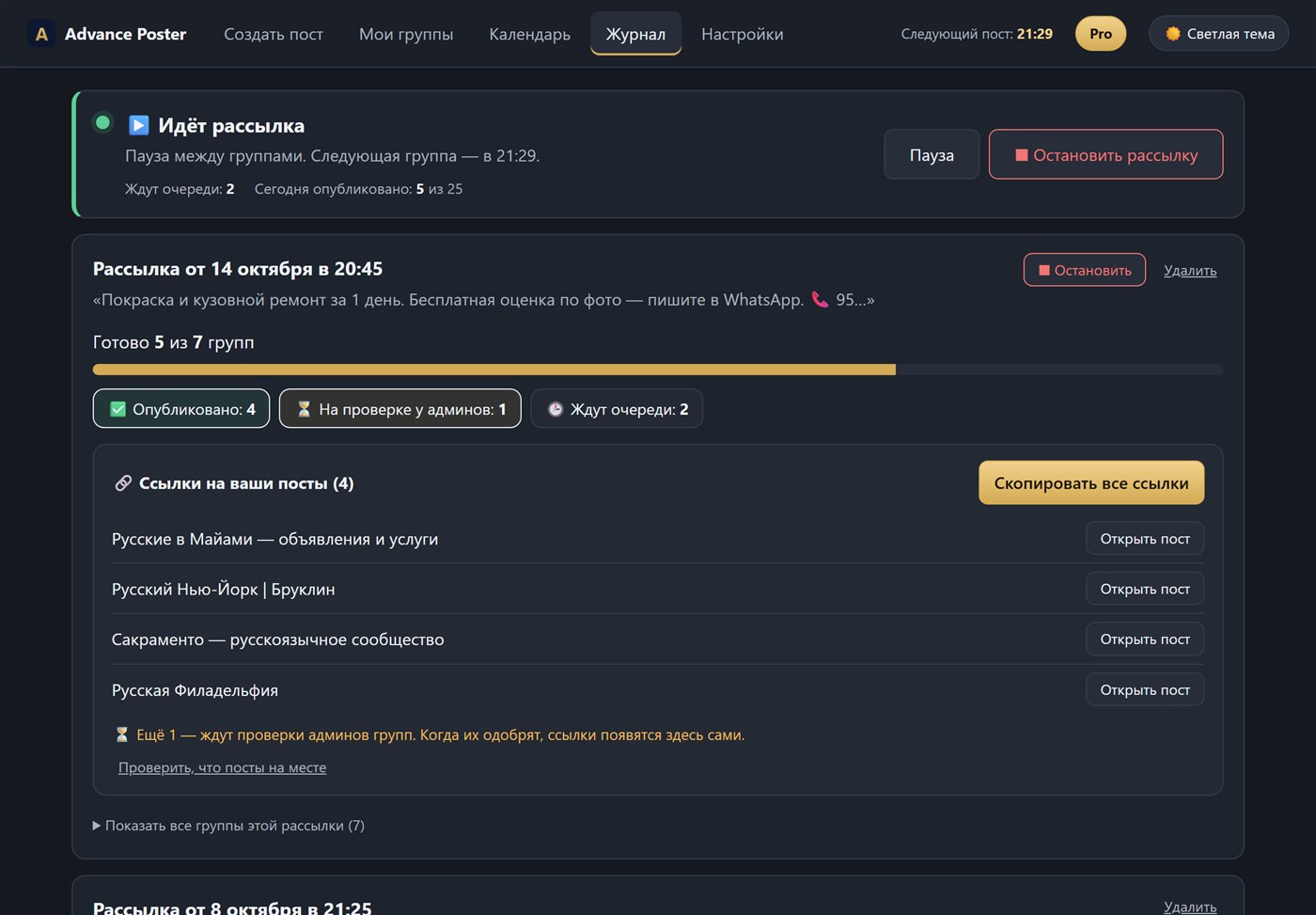
See where a post went live, where it’s waiting for admin approval and where it was removed. All links — with one “Copy” button.
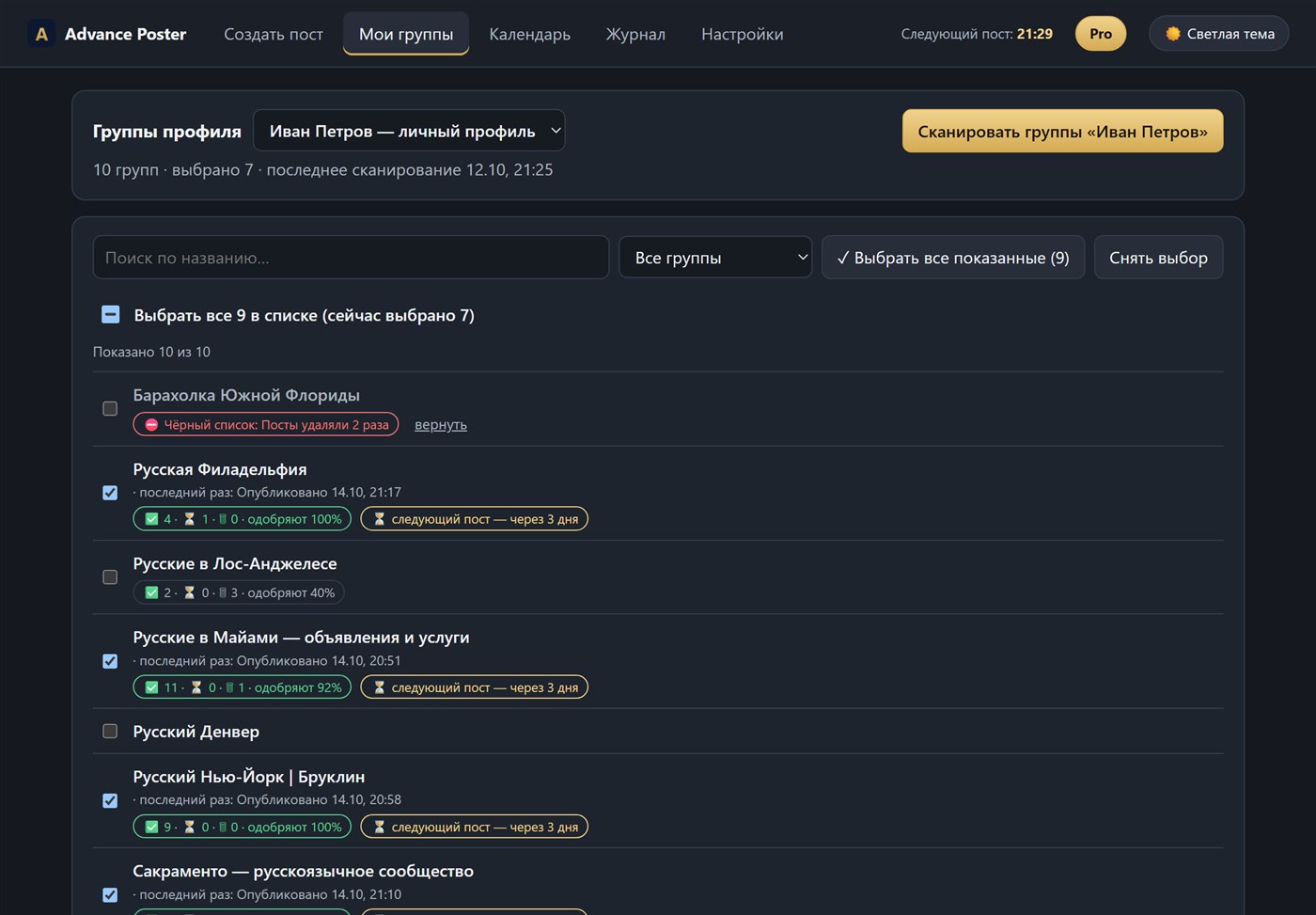
Every group shows a mark like “92% approved”: you see at a glance where posts get through and where they get removed. Groups that keep removing your posts are switched off automatically.
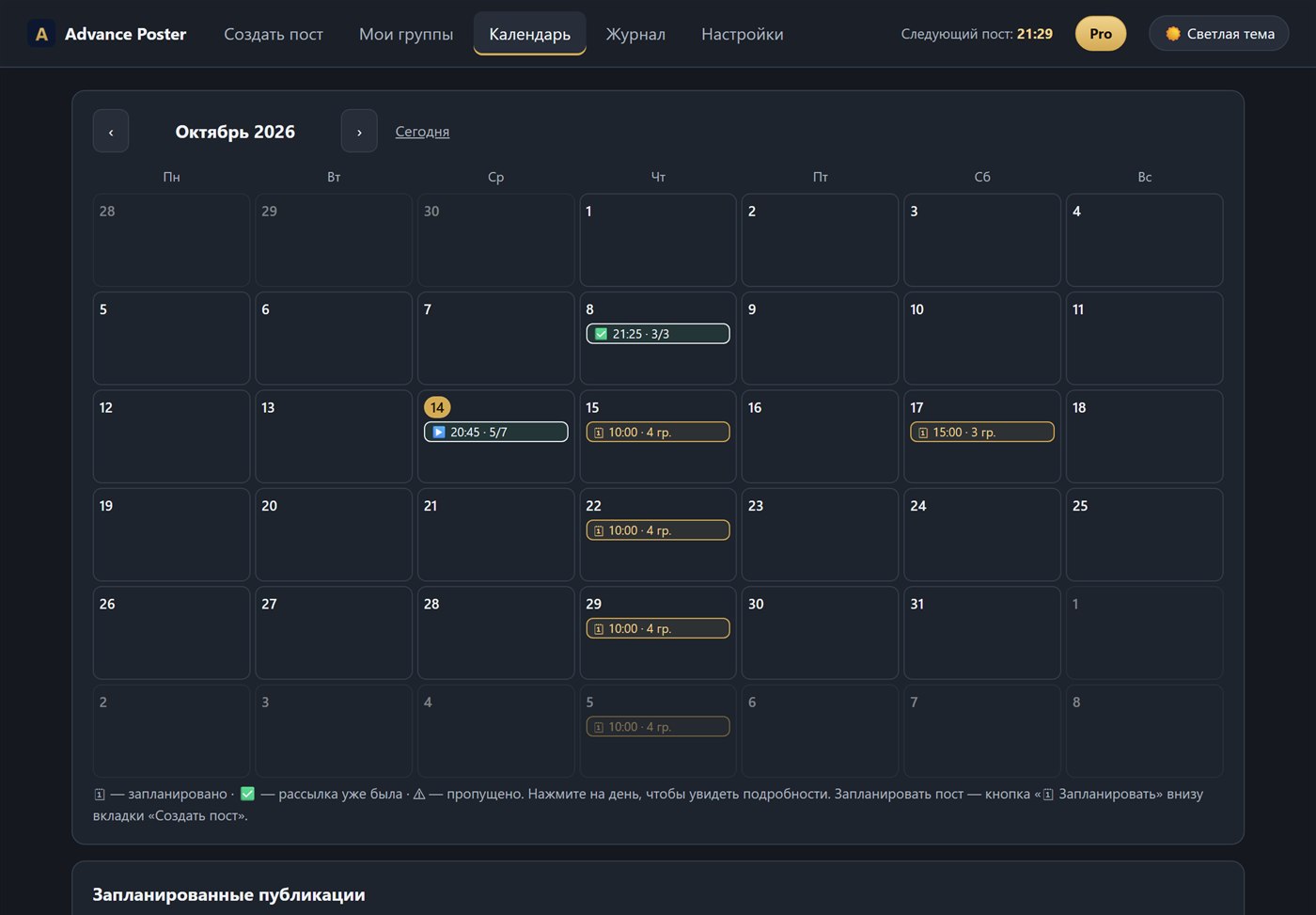
Pick a day and time and repeat every day, every week or every few days. All your posting runs are on a calendar.
While a scheduled post is waiting, your computer and Chrome must be on: the extension posts from your browser, just like you would.
Save a post that works and paste it with one click.
One photo per group in turn, or all photos in every post.
Open a group you’re a member of on Facebook and the extension adds it to your list.
Account protection
It posts the way a careful person would, not like a robot.
Facebook’s rules limit automated actions, so any tool like this carries a risk of restrictions. The Shield lowers that risk but doesn’t remove it. Follow group rules and don’t push the pace.
Comparison
Calculator
By hand, that’s about
7 hours a month
With Advance Poster you only spend time on the setup; the extension does everything else for you.
Start free — up to 7 posts a day, no card and no Facebook password.
Who it’s for
Pricing
$0
To try the extension
$49 a month
Billed monthly
$149 a month
For agencies and people who run several businesses
Online payment is coming soon. For now, send us a request — we’ll get in touch and activate Pro or Agency.
Privacy
The extension runs in your Chrome, on your computer.
No Facebook password needed — it uses the sign-in already in your browser.
Your groups, posts and log are stored in your Chrome, not on our server.
Only subscription-check data and the text you choose to send to the AI reach our server.
FAQ
The extension’s interface is in Russian, and support is in Russian too. It posts in whatever language you write your text in.
Any auto-posting tool carries a risk: Facebook’s rules limit automated actions. That’s why Advance Poster has the Shield: pauses, warm-up, limits, and a stop at the first warning. Start with the Careful mode and 2–3 groups.
No. The extension works where you’re already signed in to Facebook in your Chrome.
Yes. The extension only posts to groups you’re already a member of. Joining groups is up to you.
The log shows it as “In review”. The extension checks again later and adds the link once the post is approved.
No, only on a computer with Google Chrome (Windows or Mac). While posts are being sent or a scheduled post is waiting, your computer and Chrome must be on.
Free gives you up to 7 posts a day with the same text. Pro has no limit from the extension and adds AI texts and AI images, spintax, the first comment and the scheduler.
Agency has everything in Pro, plus up to 5 computers per subscription, up to 100 AI images a month, more AI requests and priority 24/7 support. It suits agencies and people who run several businesses.
Any time, no calls or explanations needed. Pro keeps working until the end of the paid period and the next payment is not charged.
We’ll show you how to get started and activate Pro.
We’ll get in touch with you soon.